
By Jacqualyn Gile
These latest enhancements are all about clarity, access, and control. From a centralized Resource Center to clearer employee data and better visibility into new templates, these updates make it easier to find information, spot trends, and take action with confidence.
IMPROVED: Login Count Display Controls
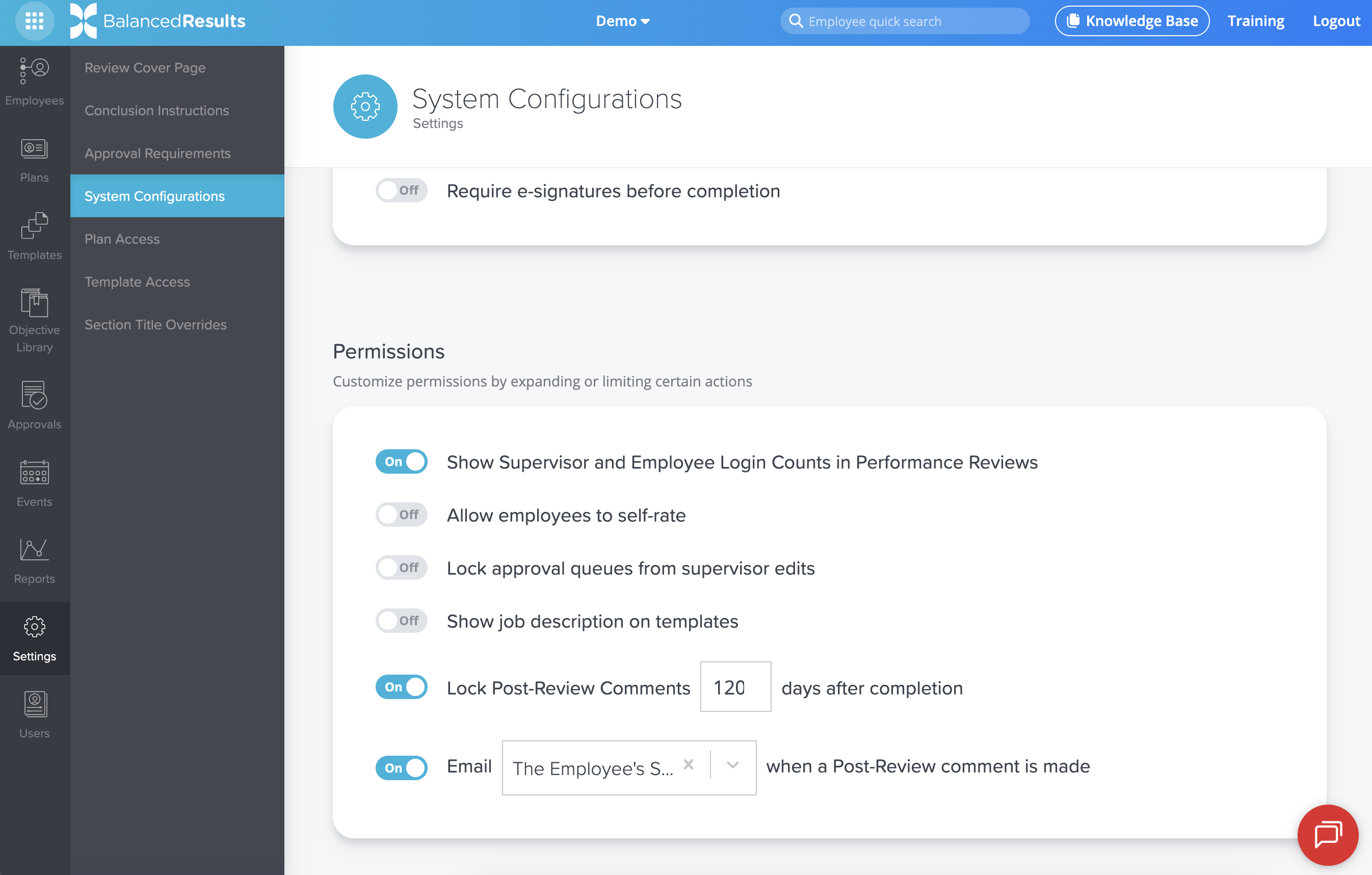
Last year in BalancedResults, we added employee and supervisor login counts to the top of performance reviews and to the supervisor progress report to highlight participation in the review process. While many clients appreciated the added visibility, some expressed a desire to keep those counts off the performance review itself.
The default setting still displays login counts, but company admins now have the option to hide employee and supervisor login totals from the review. This added flexibility allows you to decide how engagement data is presented while maintaining access to the insights behind the scenes.
NEW: Resource Center
Over the years, we’ve built a wide range of tools and support resources for our clients, from the position grading request portal and Knowledge Base to regular training webinars, the Annual Compensation Report, and our blog. As these resources grew, they naturally lived in different places across the platform. This year, we brought everything together into one centralized Resource Center.
Now, you can find training, upcoming webinars, key reports, and support tools all in one place. You can also meet our consultants, access their email addresses, and even book time directly on their calendars. The Resource Center is designed to make it faster and easier to find information, get answers, and connect with our team, transforming how you access support and resources inside BalancedComp.
IMPROVED: Pending Wage and Performance Visibility
The All Employees page in BalancedComp has always displayed each employee’s current wages and performance score based on effective dates. However, when a future-dated change was entered, such as a budget implementation with an upcoming effective date, there was no clear indication that an update was pending.
To add clarity, we now display an icon next to wages or performance scores when a future change is scheduled. By hovering over the icon, you can see the pending value and its effective date. This small but meaningful enhancement helps eliminate confusion, especially during budget season, and gives company admins better visibility into upcoming changes.

NEW: Recently Added Position Templates on the Dashboard
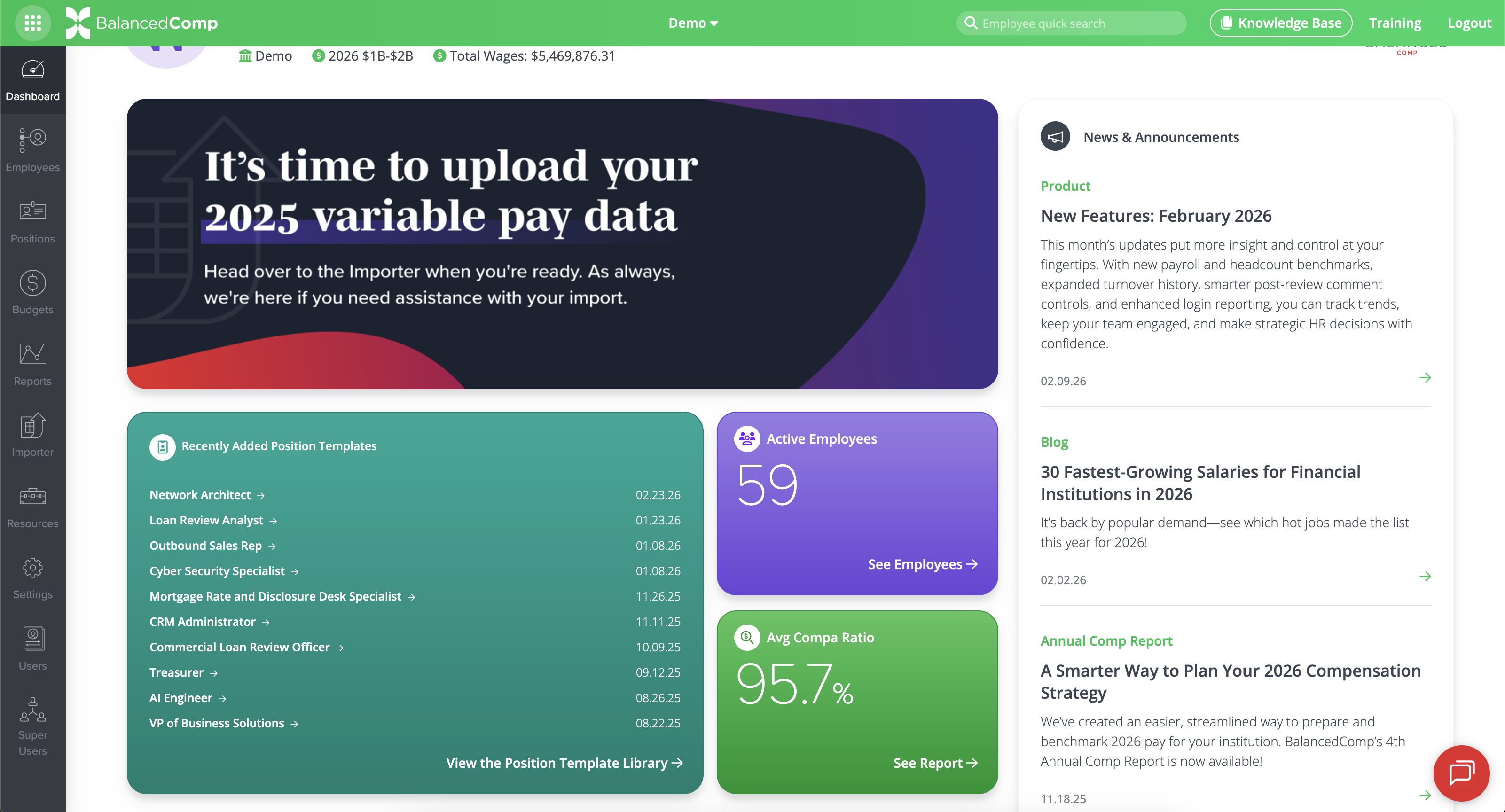
Our Position Template Library continues to grow each year, and it has become one of the most valued features among our clients. While we have always taken pride in regularly adding and updating templates, we realized many clients may not know when new ones are available.
To make these additions more visible, the dashboard now includes a component showing the last 10 Position Templates created by BalancedComp. We also added a new page within the library where you can view all recently added templates. Whether it is a brand new role like AI Engineer or updates to emerging positions, you can now quickly see what is new and take advantage of the expanding library.
Back to Blog