
By Jacqualyn Gile
This month’s updates put more insight and control at your fingertips. With new payroll and headcount benchmarks, expanded turnover history, smarter post-review comment controls, and enhanced login reporting, you can track trends, keep your team engaged, and make strategic HR decisions with confidence.
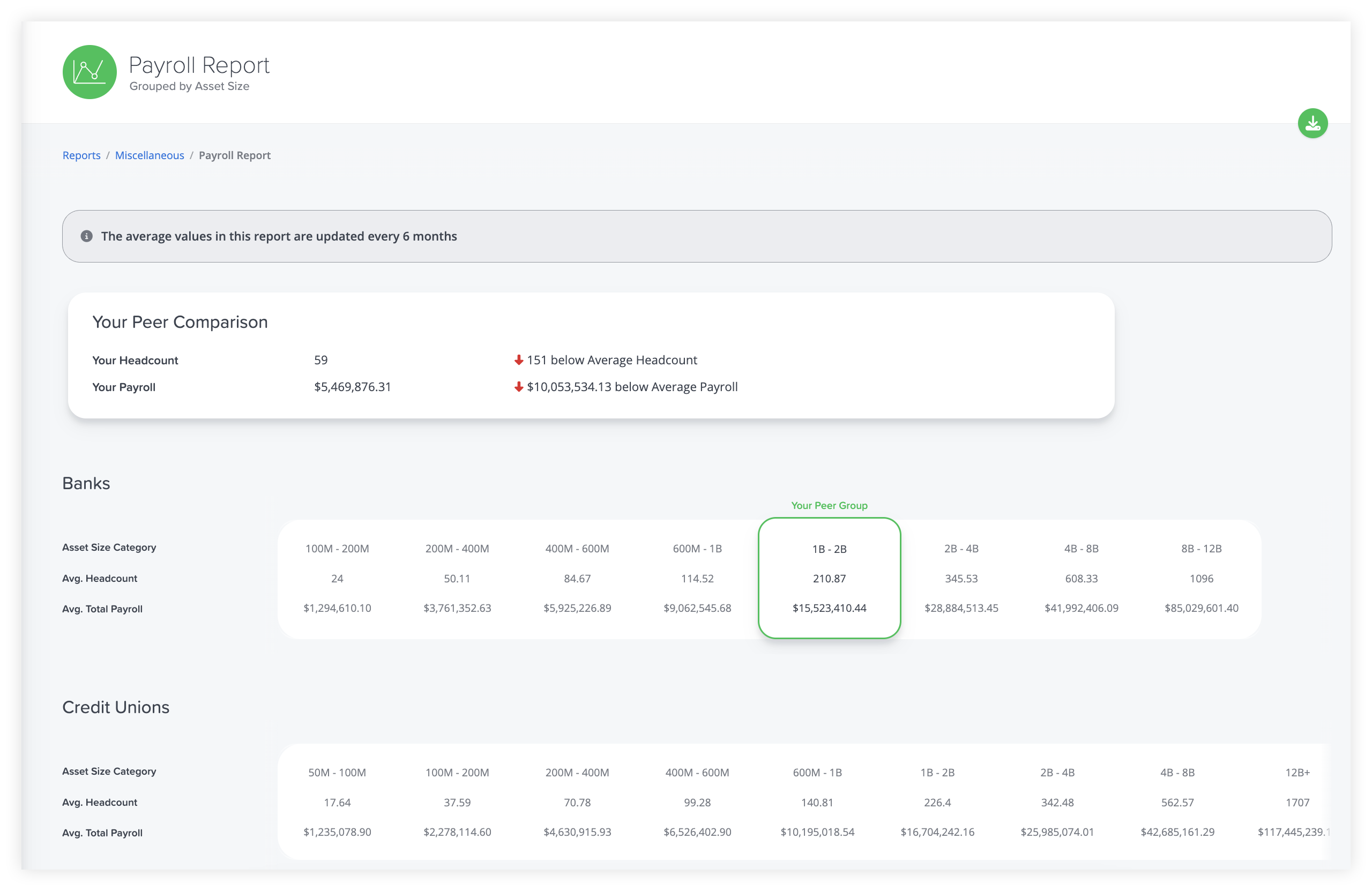
NEW: Average payroll and headcount by asset size report
You can now find a new BalancedComp report showing the average headcount and payroll for all our clients, broken down by industry and asset size. Not only do we provide a comparison with your peer group, but this report also offers a broader perspective across all industries and asset sizes, helping you ask the right strategic questions.
How do your staffing levels compare with those of similar institutions, and is your payroll aligned with industry norms? Are there opportunities to adjust headcount or reallocate payroll to maximize efficiency without impacting service? This report provides the insights to answer these questions, giving you the data to make informed, strategic HR decisions with confidence.
IMPROVED: Turnover Report can show historical numbers and now shows an “All Assets” column
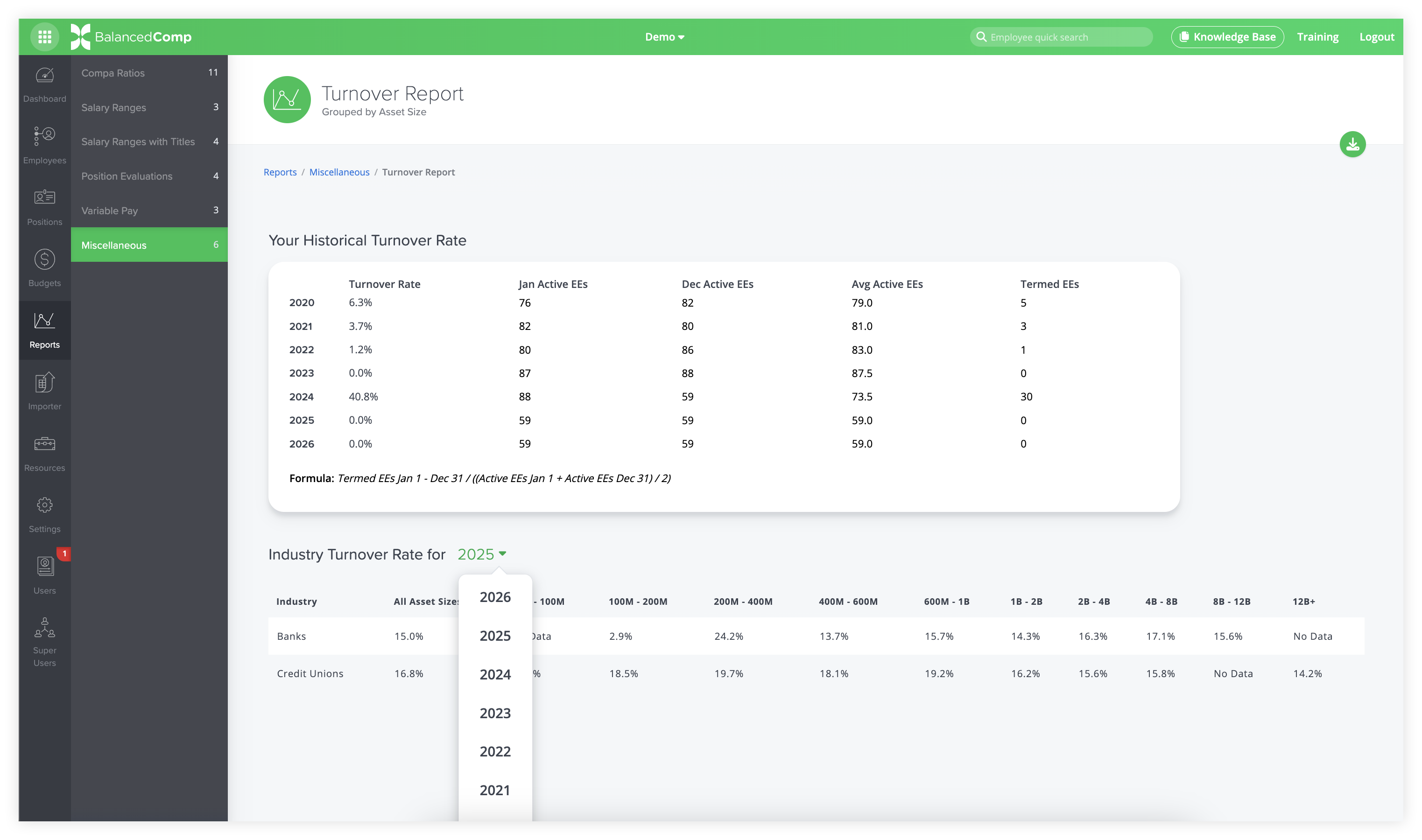
We’ve expanded the Turnover Report in BalancedComp to give you a clearer picture of trends over time. Previously, the report showed turnover data for the most recent complete year. Now, you can see turnover rates for every year since 2020, both for your peer group and all other asset sizes and industries.
This historical perspective allows you to ask deeper, strategic questions: How has turnover changed in your organization over time, and what trends are emerging in your peer group? Are there specific years or periods where turnover spikes suggest underlying challenges in retention, engagement, or staffing practices? How does your organization compare to peers in similar asset sizes or industries, and what can that tell you about your competitive position for talent? By tracking these patterns, you can identify long-term trends, assess the effectiveness of retention strategies, and make proactive decisions to better manage your workforce and plan for the future.
IMPROVED: Ability to set time limits and email notifications on Post Review Comments
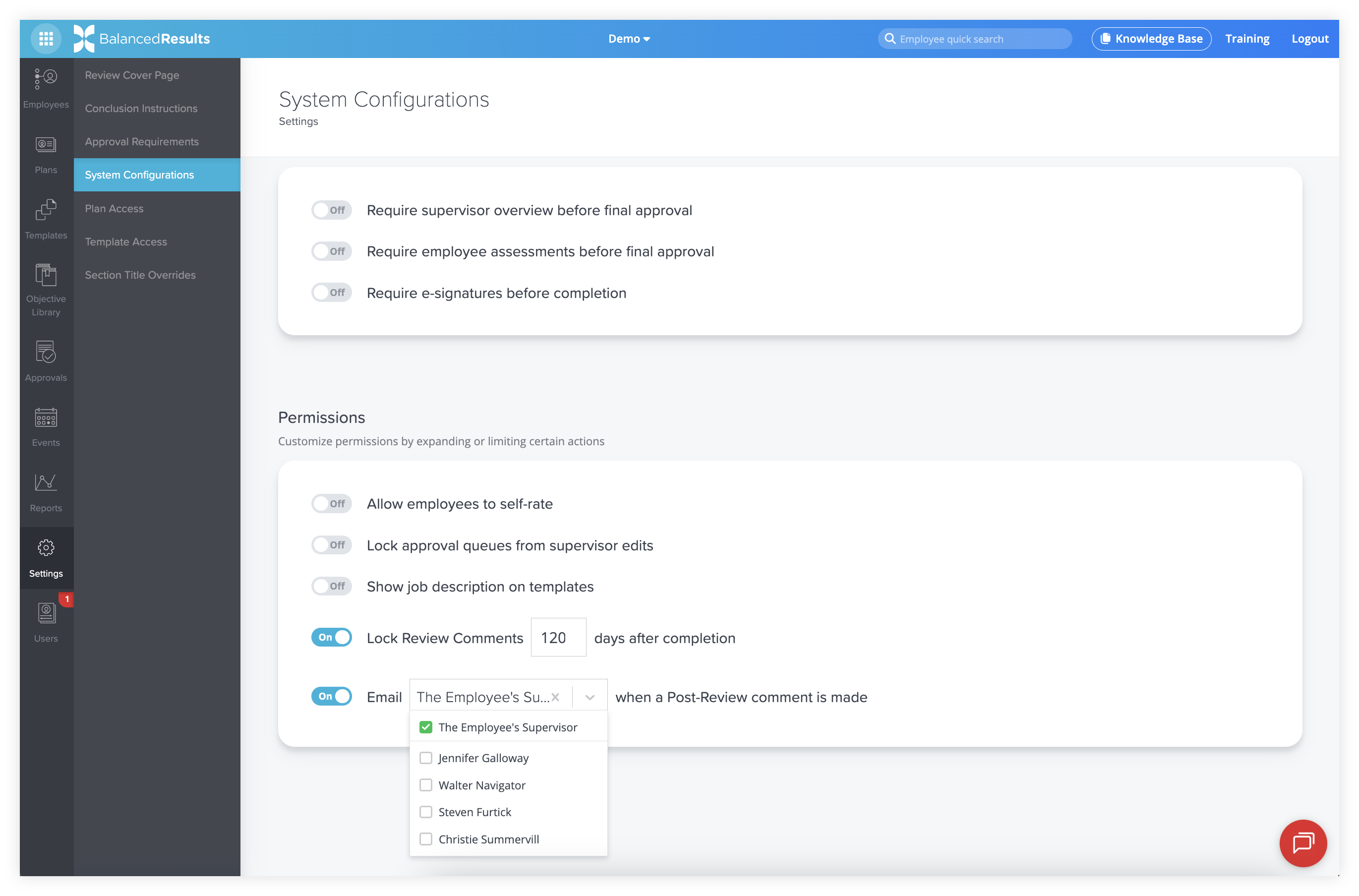
Last year, we added an unlocked page for comments after a BalancedResults review, which clients used for a variety of purposes, from planning goals for next year and documenting succession planning to noting disagreements or training needs. While this open format was useful, clients quickly requested ways to regulate access and notifications.
Now, company admins can set how long the post-review comment section remains unlocked, with a minimum of one day after the review is completed. Additionally, you can choose who receives notifications when a comment is made, either the employee’s supervisor or selected company administrators. These updates make it easier to manage post-review communication, ensure the right people stay informed, and maintain a structured, transparent process for follow-up planning.
NEW: New BalancedResults login report
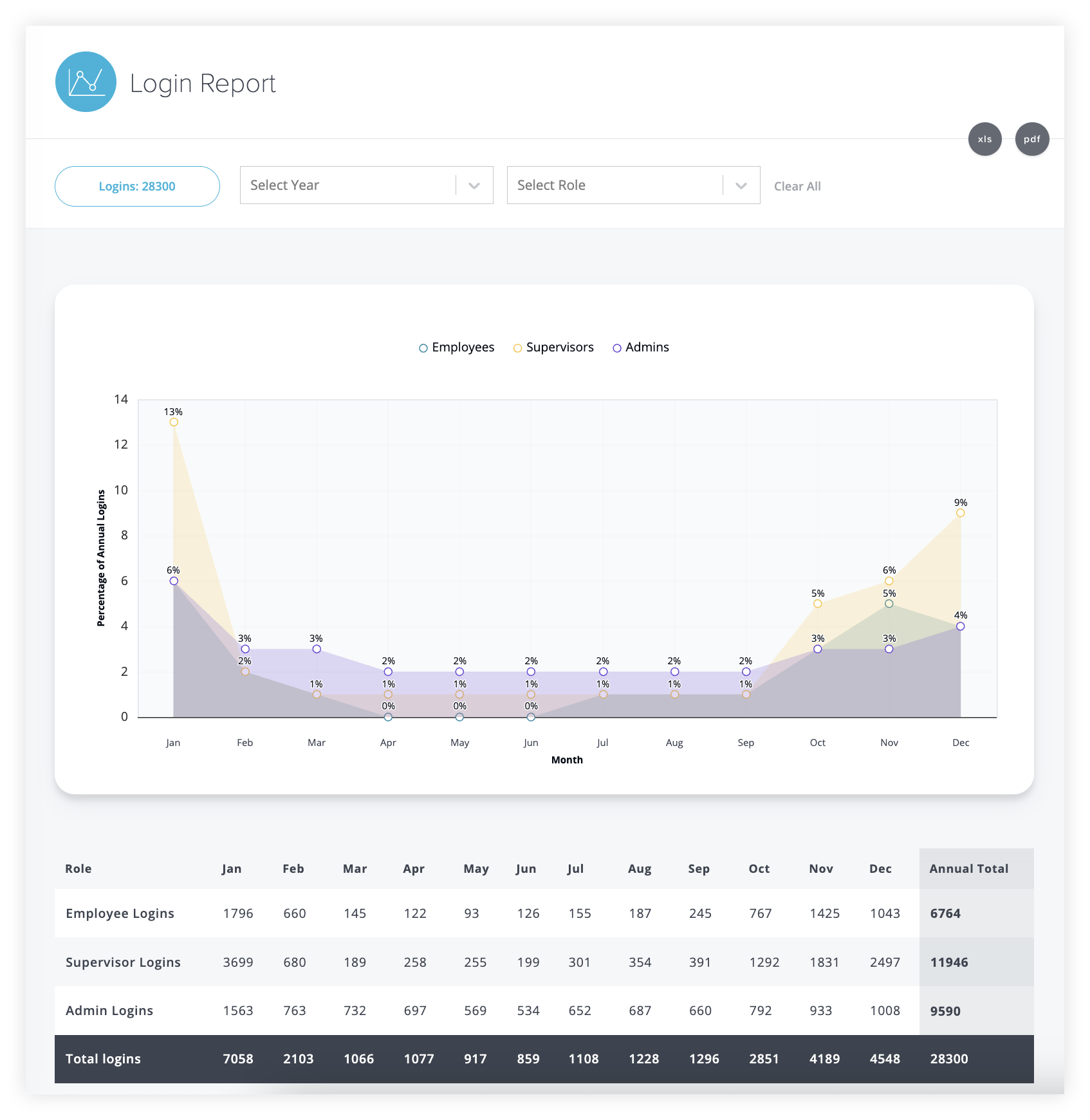
BalancedResults now includes a login report that tracks user activity by month, showing monthly averages across all years and breaking the data down by user type (company admins, supervisors, and employees). The report can be filtered by year and user type, giving you a clear view of engagement patterns throughout the year.
This insight helps company admins understand how actively users are participating in the performance review process. You can identify when supervisors/employees start taking action on their reviews, determine when to offer encouragement, and ensure no one falls behind. With this report, it’s easier to support engagement, drive timely participation, and ensure the review process runs smoothly from start to finish.
Back to Blog